
CefSharpには、ヘッドレスブラウザ(GUIを持たない)モード(CefSharp.OffScreen)があります。どういう場面で使用するのかイマイチわかりませんが、弊社製品の日報データ自動取得システムDTや検索データ自動取得システムDTのようなデータ取得が主な目的のアプリケーションで使用できるかなと思います。
ここでは、ヘッドレスブラウザの機能を用いてWebを自動巡回し、スクリーンショットを撮るというデモをやってみます。
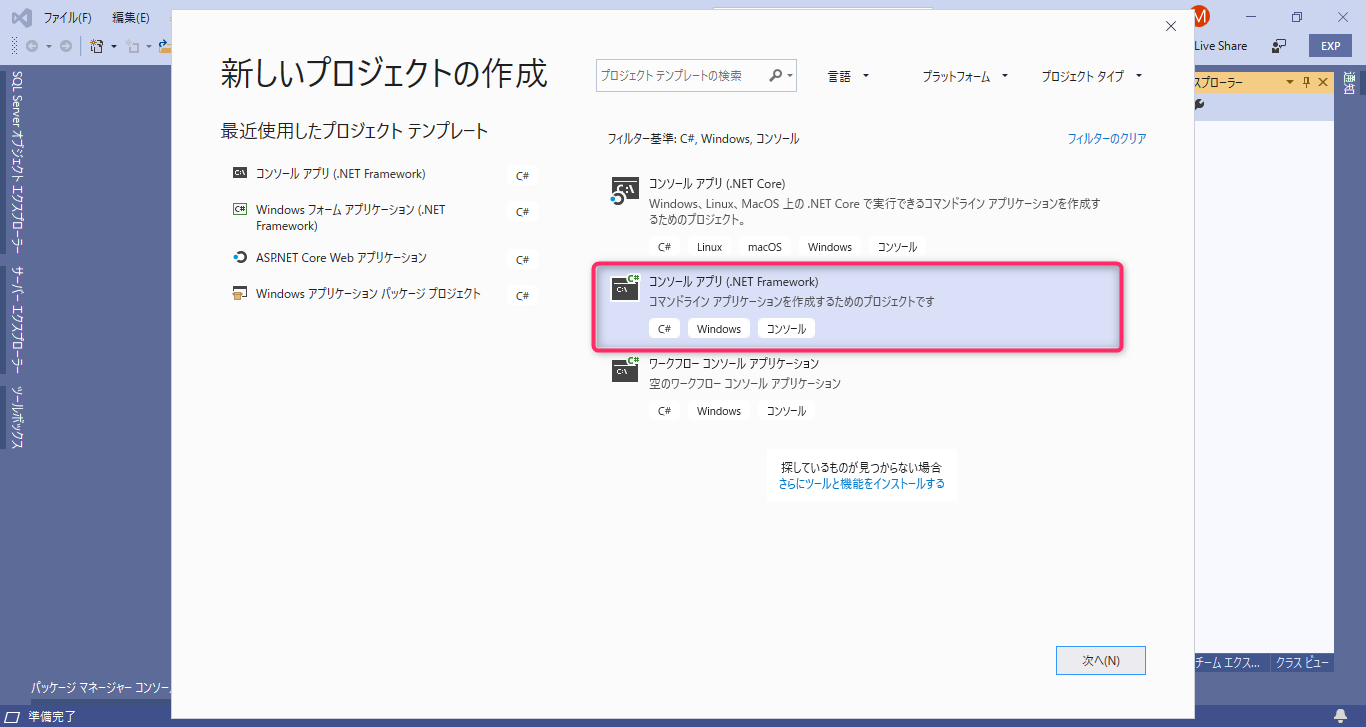
1.Visual Studio Community 2019 を起動して 「C#のWindowsコンソールアプリケーション(.NET Framework)」のプロジェクトを作成します。
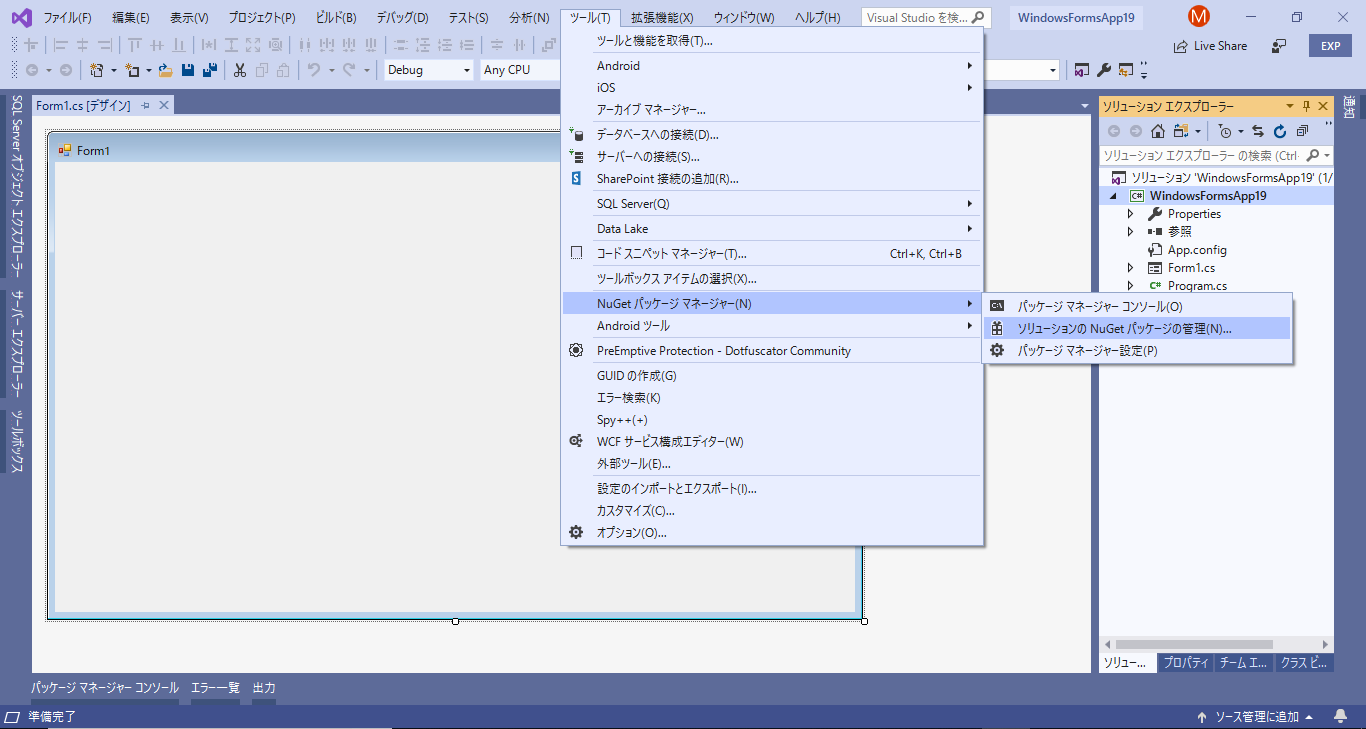
2.メニュー「ツール(T)」-「NuGet パッケージ マネージャー(N)」-「ソリューションのNuGetパッケージの管理(N)…」を選択します。
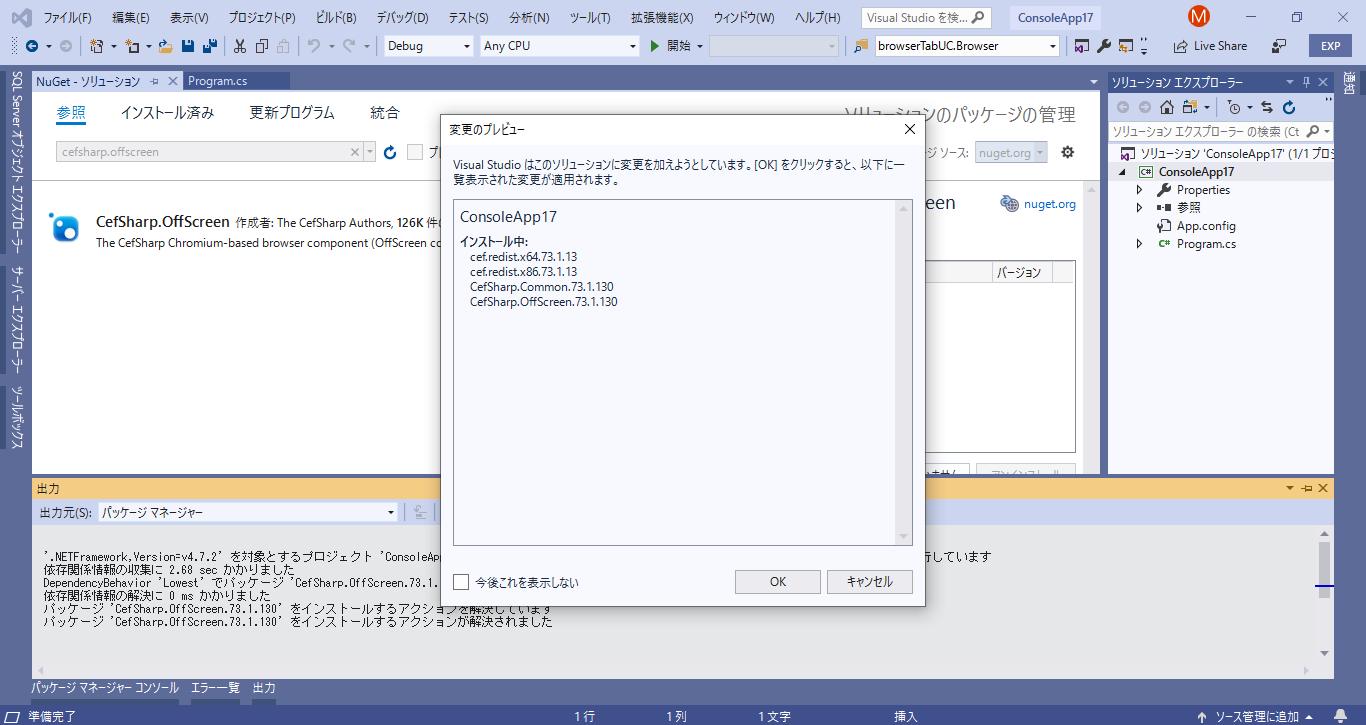
3.左上の「参照」をクリックして、検索欄に「cefsharp.offscreen」と入力して検索を行い、検索結果の中から「CefSharp.OffScreen」を選択して、現在のプロジェクトにインストールします。

4.下画面で「OK」をクリックします。
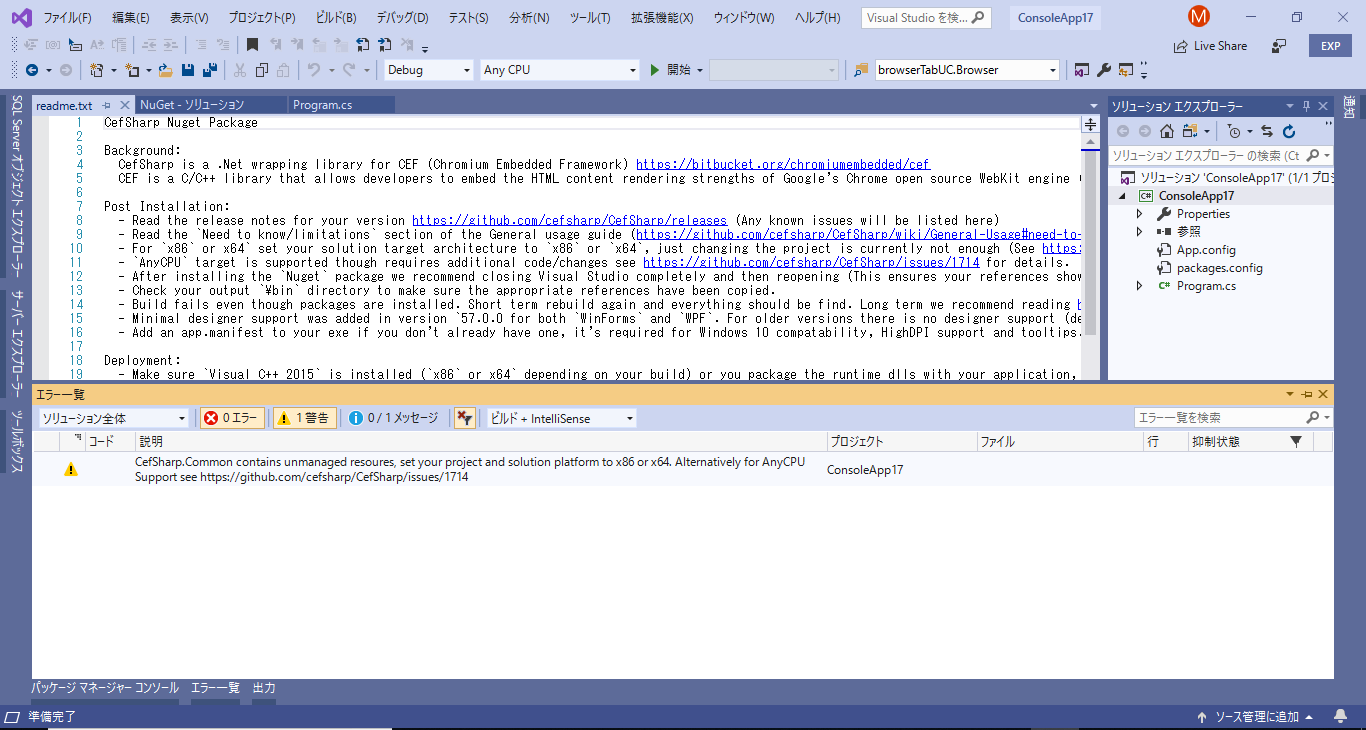
5.インストールが終わると何やら警告が出ます。ソリューションプラットフォームに「x86」または「x64」を選択するようにと書いてあります。「AnyCPU」に変更したければ、https://github.com/cefsharp/CefSharp/issues/1714 を参照するようにと指示があります。(※これについては、プラットフォーム構成を変更して、AnyCPUで使用できるようにする。で解説しています。)
6.ソース(program.cs)を変更します。
using CefSharp.OffScreen; ←が今までと違います。(ヘッドレスブラウザモードの指定)

await browser.ScreenshotAsync(true).ContinueWith(DisplayBitmap); ←でスクリーンショットを撮ります。
「browser.ScreenshotAsync」は、CefSharp.OffScreenに含まれる機能です。
タイミングによっては上手く撮影できないので、await Task.Delay(1000); を事前行に挿入しています。

7.ここまで出来たら、実行してみます。
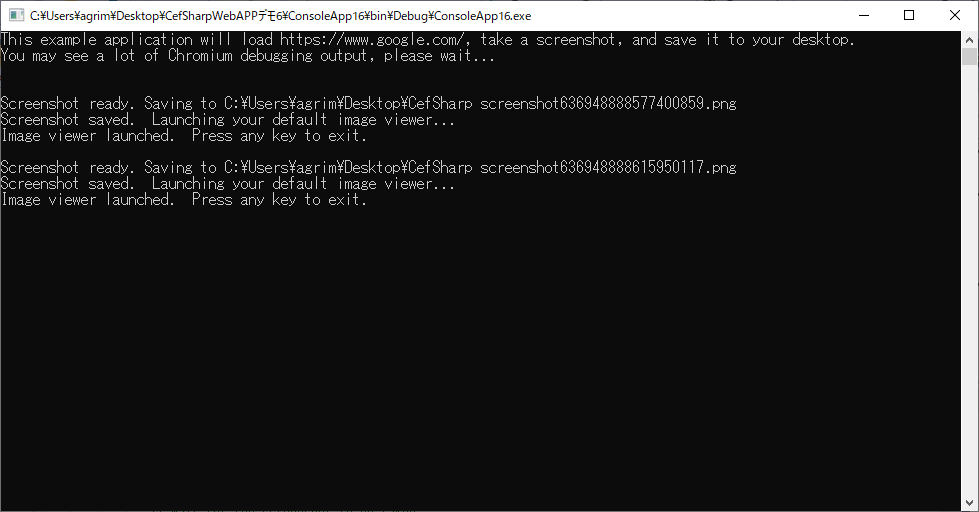
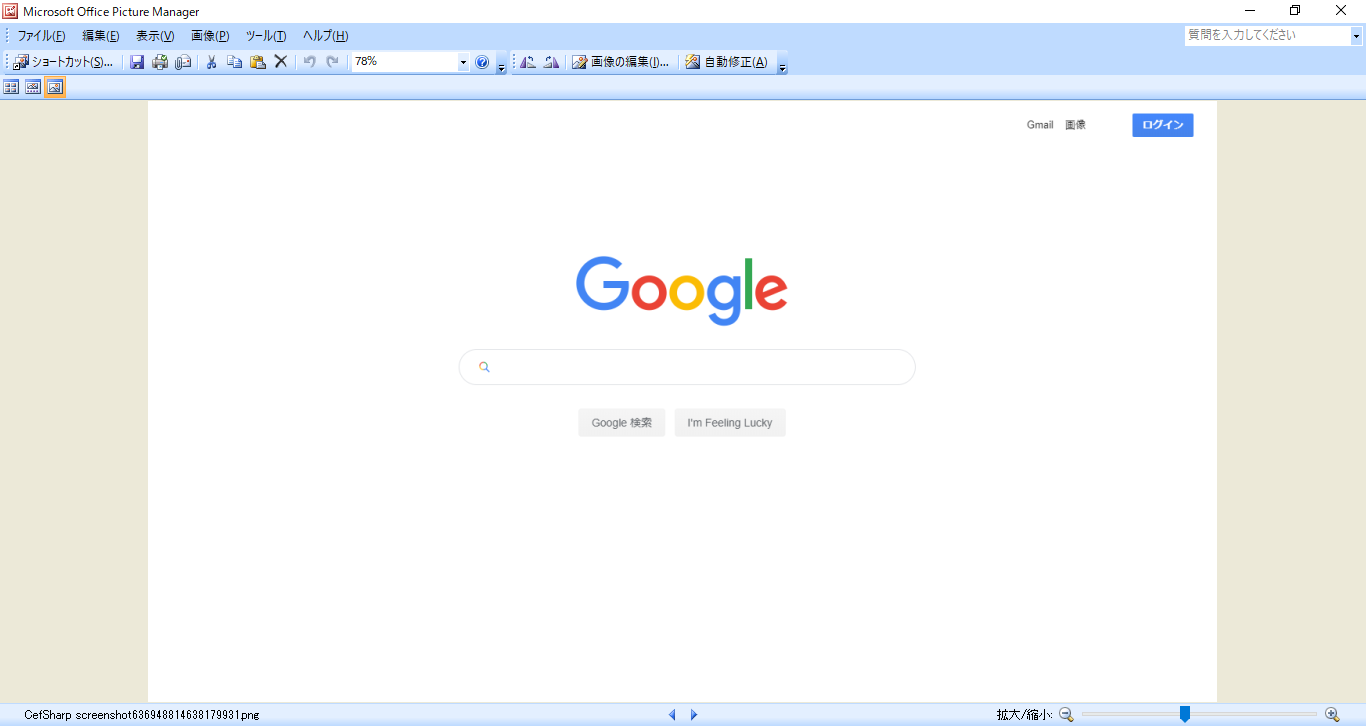
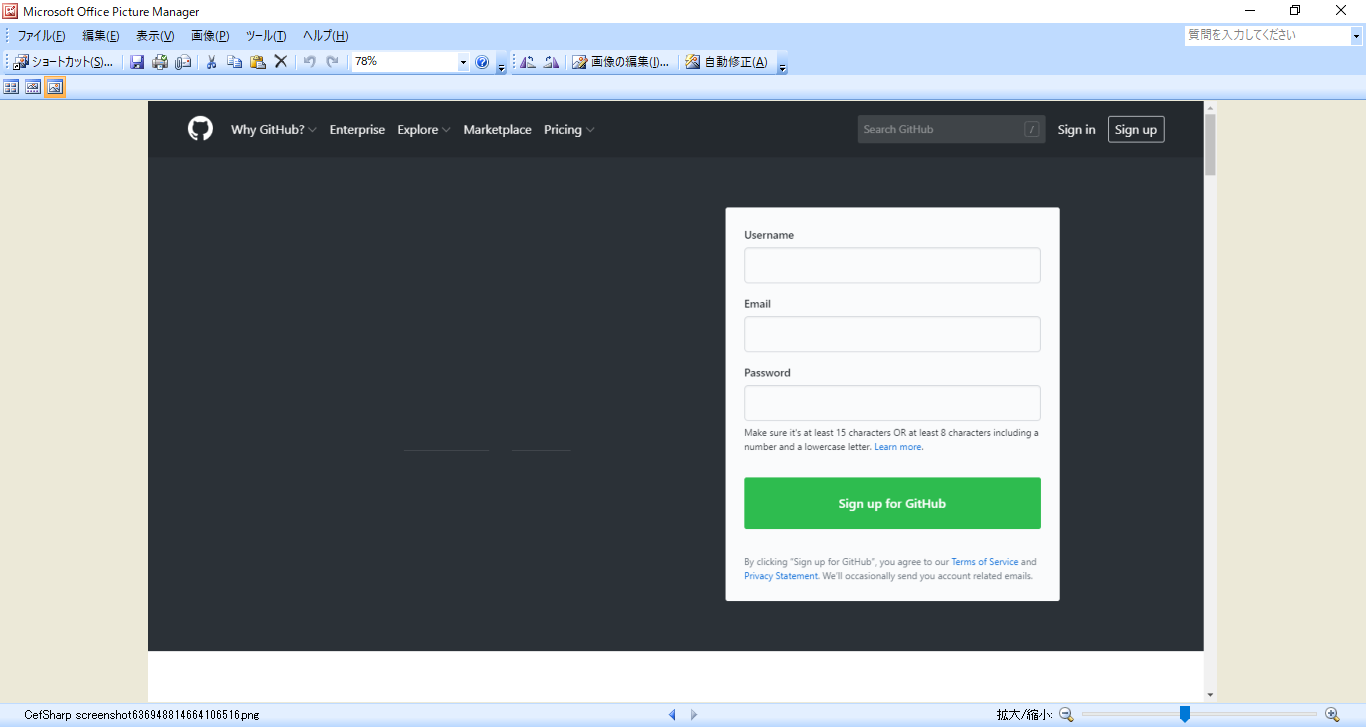
スクリーンショットした画像は .png 形式でデスクトップに保存されます。(タイミングによってレンダリング中の画面になったり、目的のページでなかったりするようです。非同期処理だからかも。。)
【ソース(program.cs)】
using System;
using System.Diagnostics;
using System.Drawing;
using System.IO;
using System.Threading.Tasks;
using CefSharp;
using CefSharp.OffScreen;

namespace ConsoleApp16
{
    class Program
    {
        private const string TestUrl = "https://www.google.com/";

        static void Main(string[] args)
        {
            Console.WriteLine("This example application will load {0}, take a screenshot, and save it to your desktop.", TestUrl);
            Console.WriteLine("You may see a lot of Chromium debugging output, please wait...");
            Console.WriteLine();

            // Initialize cef with the provided settings
            CefSettings settings = new CefSettings();
            settings.Locale = "ja";
            settings.AcceptLanguageList = "ja-JP";
            Cef.Initialize(settings, performDependencyCheck: false, browserProcessHandler: null);

            MainAsync("cachePath1", 1.0);

            // We have to wait for something, otherwise the process will exit too soon.
            Console.ReadKey();

            // Clean up Chromium objects.  You need to call this in your application otherwise
            // you will get a crash when closing.
            Cef.Shutdown();
        }

        private static async void MainAsync(string cachePath, double zoomLevel)
        {
            var browserSettings = new BrowserSettings();
            //Reduce rendering speed to one frame per second so it's easier to take screen shots
            browserSettings.WindowlessFrameRate = 1;
            var requestContextSettings = new RequestContextSettings { CachePath = cachePath };

            // RequestContext can be shared between browser instances and allows for custom settings
            // e.g. CachePath
            using (var requestContext = new RequestContext(requestContextSettings))
            using (var browser = new ChromiumWebBrowser(TestUrl, browserSettings, requestContext))
            {
                if (zoomLevel > 1)
                {
                    browser.FrameLoadStart += (s, argsi) =>
                    {
                        var b = (ChromiumWebBrowser)s;
                        if (argsi.Frame.IsMain)
                        {
                            b.SetZoomLevel(zoomLevel);
                        }
                    };
                }
                await LoadPageAsync(browser);

                //Check preferences on the CEF UI Thread
                await Cef.UIThreadTaskFactory.StartNew(delegate
                {
                    var preferences = requestContext.GetAllPreferences(true);

                    //Check do not track status
                    var doNotTrack = (bool)preferences["enable_do_not_track"];

                    Debug.WriteLine("DoNotTrack: " + doNotTrack);
                });

                var onUi = Cef.CurrentlyOnThread(CefThreadIds.TID_UI);

                //Give the browser a little time to finish drawing our SendKeyEvent input
                await Task.Delay(1000);

                // Wait for the screenshot to be taken,
                // if one exists ignore it, wait for a new one to make sure we have the most up to date
                await browser.ScreenshotAsync(true).ContinueWith(DisplayBitmap);

                await LoadPageAsync(browser, "http://github.com");

                //Gets a wrapper around the underlying CefBrowser instance
                var cefBrowser = browser.GetBrowser();
                // Gets a warpper around the CefBrowserHost instance
                // You can perform a lot of low level browser operations using this interface
                var cefHost = cefBrowser.GetHost();

                //You can call Invalidate to redraw/refresh the image
                cefHost.Invalidate(PaintElementType.View);

                await Task.Delay(1000);

                // Wait for the screenshot to be taken.
                await browser.ScreenshotAsync(true).ContinueWith(DisplayBitmap);
            }
        }

        public static Task LoadPageAsync(IWebBrowser browser, string address = null)
        {
            var tcs = new TaskCompletionSource<bool>(TaskCreationOptions.RunContinuationsAsynchronously);

            EventHandler<LoadingStateChangedEventArgs> handler = null;
            handler = (sender, args) =>
            {
                //Wait for while page to finish loading not just the first frame
                if (!args.IsLoading)
                {
                    browser.LoadingStateChanged -= handler;
                    //Important that the continuation runs async using TaskCreationOptions.RunContinuationsAsynchronously
                    tcs.TrySetResult(true);
                }
            };

            browser.LoadingStateChanged += handler;

            if (!string.IsNullOrEmpty(address))
            {
                browser.Load(address);
            }
            return tcs.Task;
        }

        private static void DisplayBitmap(Task<Bitmap> task)
        {
            // Make a file to save it to (e.g. C:\Users\jan\Desktop\CefSharp screenshot.png)
            var screenshotPath = Path.Combine(Environment.GetFolderPath(Environment.SpecialFolder.Desktop), "CefSharp screenshot" + DateTime.Now.Ticks + ".png");

            Console.WriteLine();
            Console.WriteLine("Screenshot ready. Saving to {0}", screenshotPath);

            var bitmap = task.Result;

            // Save the Bitmap to the path.
            // The image type is auto-detected via the ".png" extension.
            bitmap.Save(screenshotPath);

            // We no longer need the Bitmap.
            // Dispose it to avoid keeping the memory alive.  Especially important in 32-bit applications.
            bitmap.Dispose();

            Console.WriteLine("Screenshot saved.  Launching your default image viewer...");

            // Tell Windows to launch the saved image.
            Process.Start(screenshotPath);

            Console.WriteLine("Image viewer launched.  Press any key to exit.");
        }
    }
}