
ひかり電話CTIスマートコネクトの機能を利用して、ローカルにあるファイルをCTIサーバーにアップロードするc#サンプルです。
<事前に準備が必要>
CTIサーバーに「ひかり電話CTIスマートコネクト」をインストールしてください。
※「ひかり電話CTIスマートコネクト」は、ひかり電話CTIクライアントインストールパッケージの中に同梱されています。
<Visual Studio 内でやること>
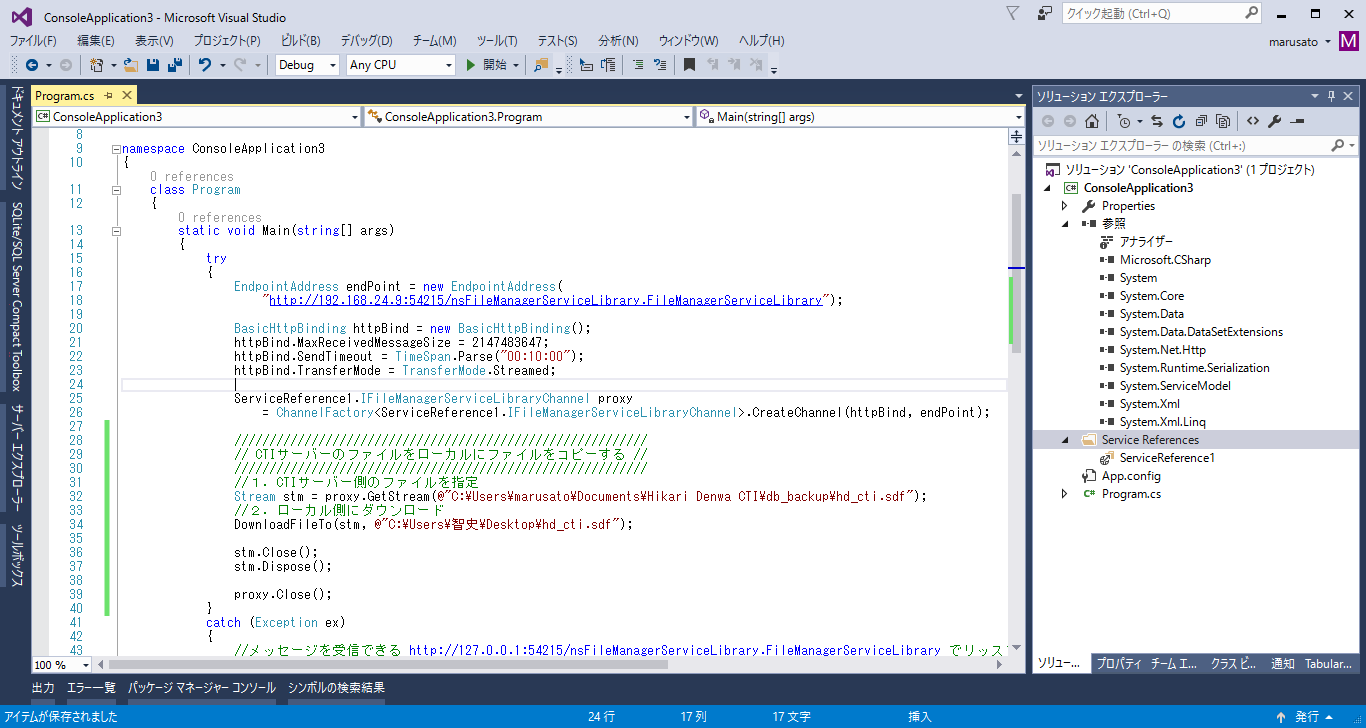
・参照の追加で、アセンブリ System.ServiceModel を追加する。
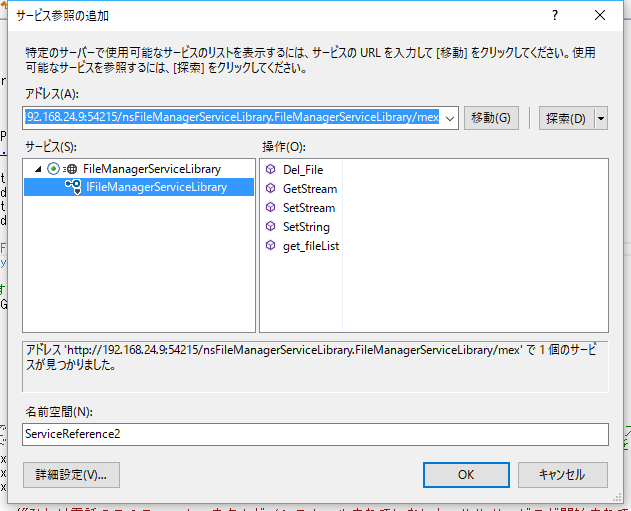
・サービス参照の追加で
http://(CTIサーバーのアドレス):54215/nsFileManagerServiceLibrary.FileManagerServiceLibrary/mex
を追加する。
<サンプルプログラム c#>
using System;
using System;
using System.Collections.Generic;
using System.Linq;
using System.Text;
using System.Threading.Tasks;
using System.ServiceModel;
using System.IO;

namespace HikariCTI_Sample_011
{
    class Program
    {
        static void Main(string[] args)
        {
            try
            {
                EndpointAddress endPoint = new EndpointAddress(
                    "http://192.168.24.9:54215/nsFileManagerServiceLibrary.FileManagerServiceLibrary");

                BasicHttpBinding httpBind = new BasicHttpBinding();
                httpBind.MaxReceivedMessageSize = 2147483647;
                httpBind.SendTimeout = TimeSpan.Parse("00:10:00");
                httpBind.TransferMode = TransferMode.Streamed;

                ServiceReference1.IFileManagerServiceLibraryChannel proxy
                    = ChannelFactory.CreateChannel(httpBind, endPoint);

                /////////////////////////////////////////////////
                // ローカルのファイルをCTIサーバーにコピーする //
                /////////////////////////////////////////////////

                //1.CTIサーバー側のファイルの保存先を指定
                proxy.SetString(@"C:\Users\marusato\Documents\Hikari Denwa CTI\db_backup\testdb.sdf");

                //2.ローカル側のファイルをオープン
                FileStream fs = File.OpenRead(@"C:\Users\智史\Desktop\testdb.sdf");

                //3.ファイルをアップロード
                proxy.SetStream(fs);


                fs.Close();
                fs.Dispose();

                proxy.Close();

                Console.WriteLine("ファイルをアップロードしました。");

                Console.ReadLine();
            }
            catch (Exception ex)
            {
                //メッセージを受信できる http://127.0.0.1:54215/nsFileManagerServiceLibrary.FileManagerServiceLibrary でリッスンしているエンドポイントがありませんでした。
                //これは一般に、アドレスまたは SOAP アクションが正しくない場合に発生します。詳細については、InnerException を参照してください (ある場合)。
                if (ex.Message.IndexOf("メッセージを受信できる") >= 0 &&
                    ex.Message.IndexOf("でリッスンしているエンドポイントがありませんでした") >= 0 &&
                    ex.Message.IndexOf("アドレスまたは SOAP アクションが正しくない場合に発生します") >= 0)
                {
                    Console.WriteLine("ひかり電話CTIスマートコネクトがインストールされていないか、\r\nサービスが開始されていないません。");

                    Console.ReadLine();
                }
            }
        }
    }
}